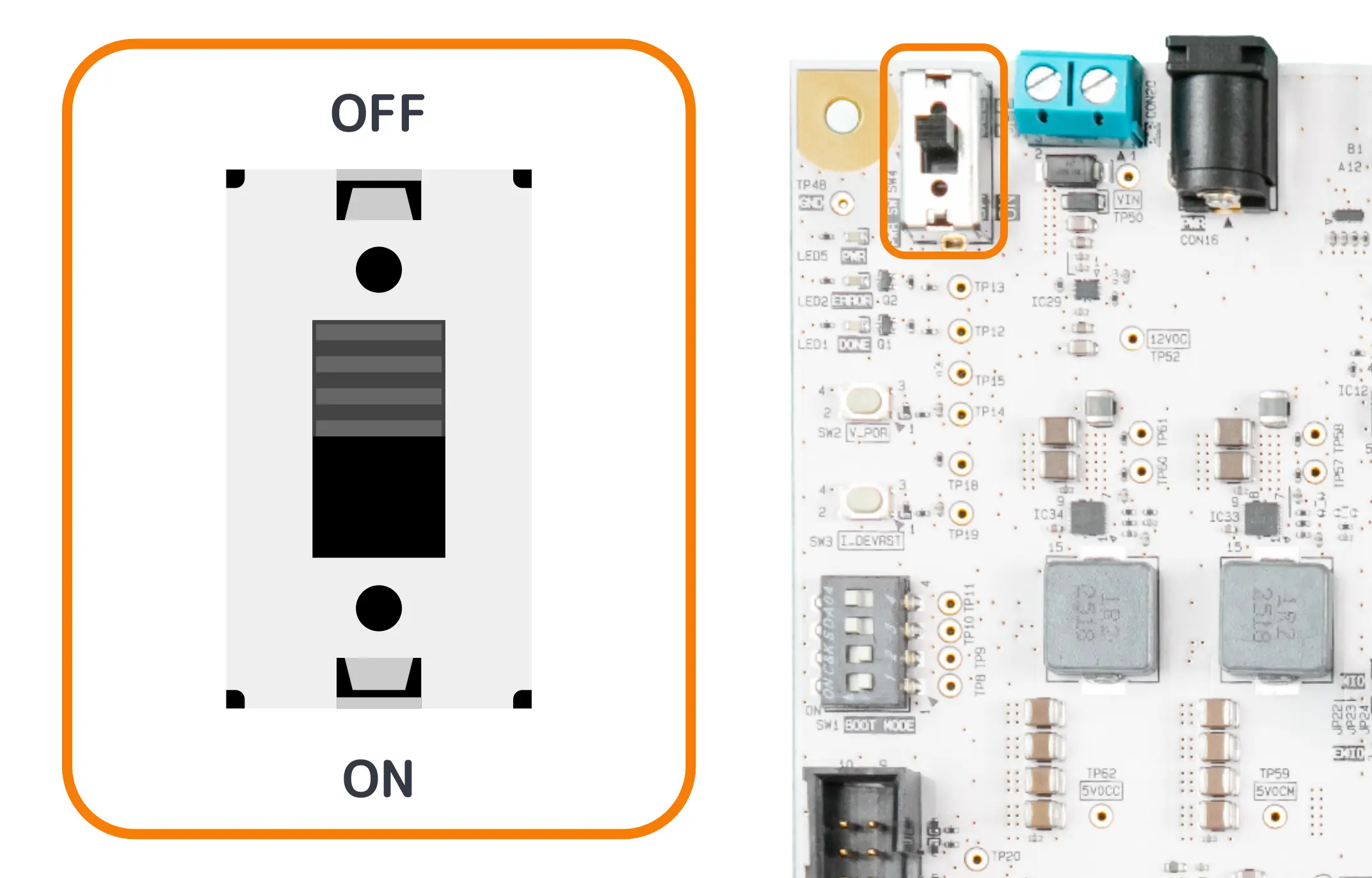
Switches (SW)
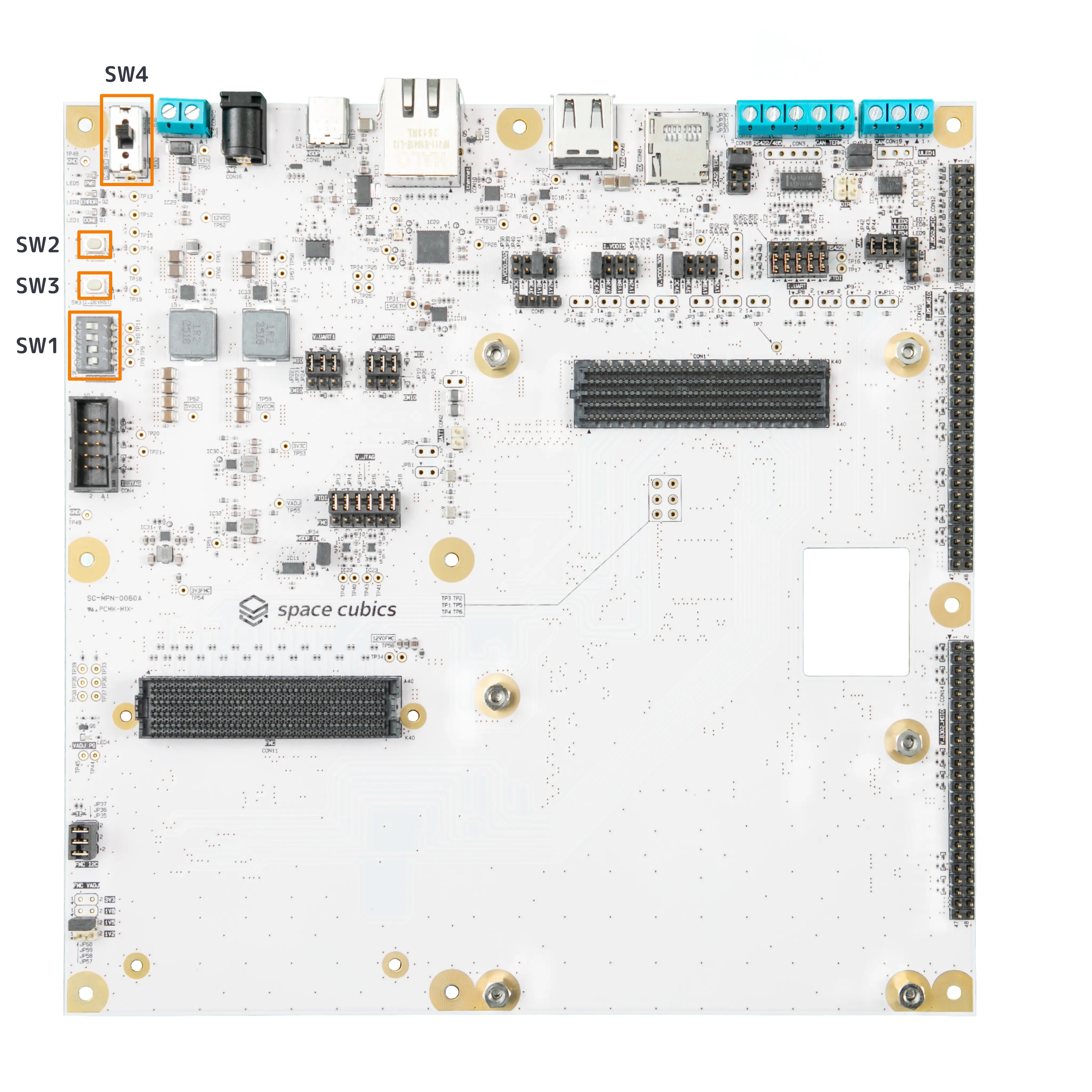
| Part Number | Interface Name | Form Factor | Remarks |
|---|---|---|---|
SW1 |
Versal Boot Mode Control Switch |
DIP switch (4-position) |
|
SW2 |
Versal POR Control Switch |
Tactile switch |
Factory use only |
SW3 |
IGLOO2 POR Control Switch |
Tactile switch |
Factory use only |
SW4 |
Dev Board Main Power Switch |
Slide switch (SPDT) |
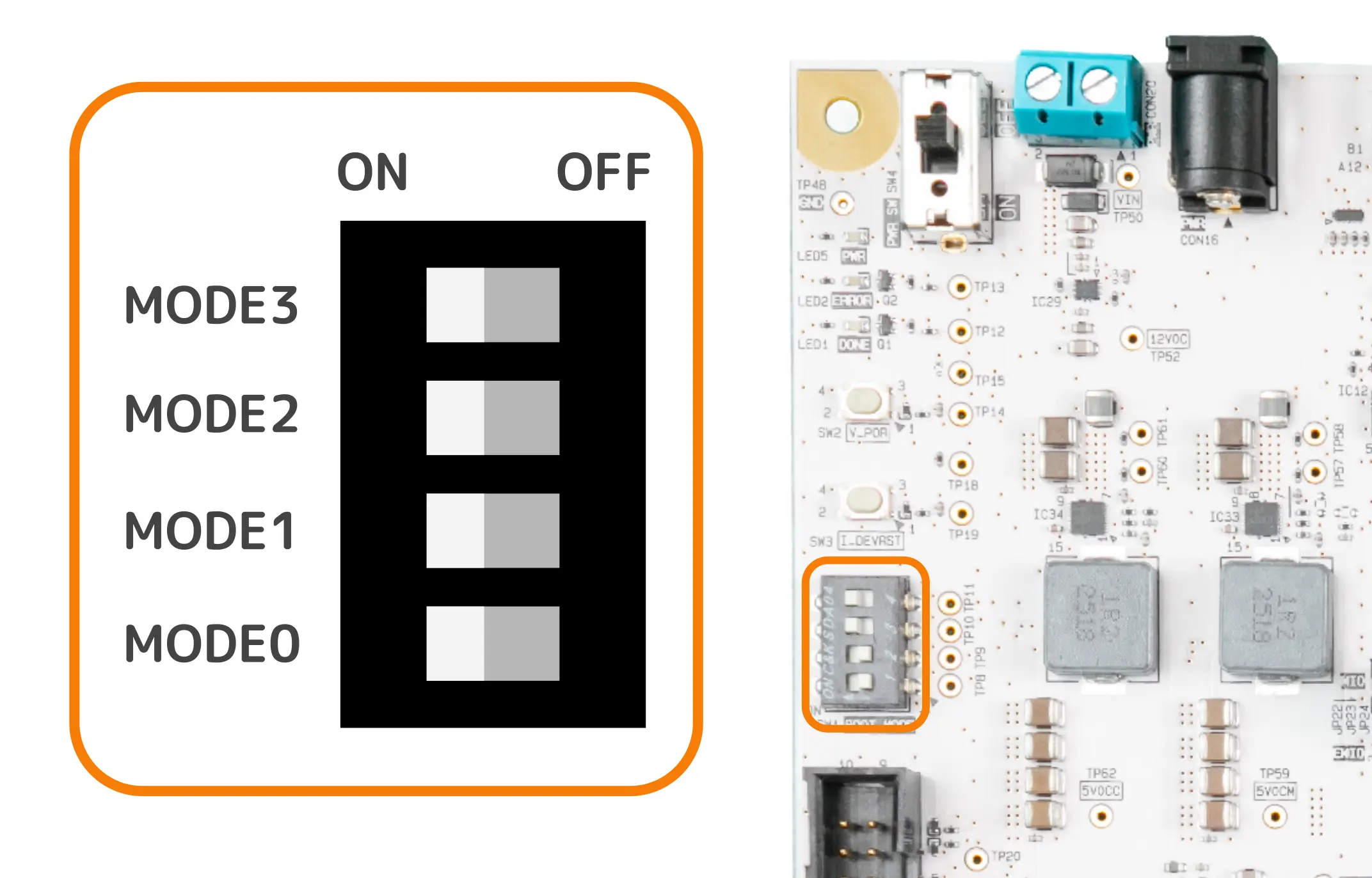
Versal Boot Mode Control Switch (SW1)
SW1 is a DIP switch for controlling the Versal boot mode.
| Mode | Pin Number | Pin Name | I/O | Power Domain |
|---|---|---|---|---|
MODE 0 |
1, 8 |
XCVE_MODE0 |
Input |
Power supply (VDD_5V0_CM) |
MODE 1 |
2, 7 |
XCVE_MODE1 |
Input |
Power supply (VDD_5V0_CM) |
MODE 2 |
3, 6 |
XCVE_MODE2 |
Input |
Power supply (VDD_5V0_CM) |
MODE 3 |
4, 5 |
XCVE_MODE3 |
Input |
Power supply (VDD_5V0_CM) |
Depending on the switch configuration, it is possible to set the boot mode as follows.
| JTAG | QSPI32 (NOR Flash) | SD v3.0 (microSD) | |
|---|---|---|---|
MODE3 |
ON |
ON |
ON |
MODE2 |
ON |
ON |
ON |
MODE1 |
ON |
OFF |
OFF |
MODE0 |
ON |
ON |
OFF |
|
All combinations other than the above are prohibited and cannot be used. |
Versal POR Control Switch (SW2)
SW2 is a tactile switch capable of controlling the Versal External POR (Power On Reset).
|
Please do not use this switch, as it is intended for factory use only. |